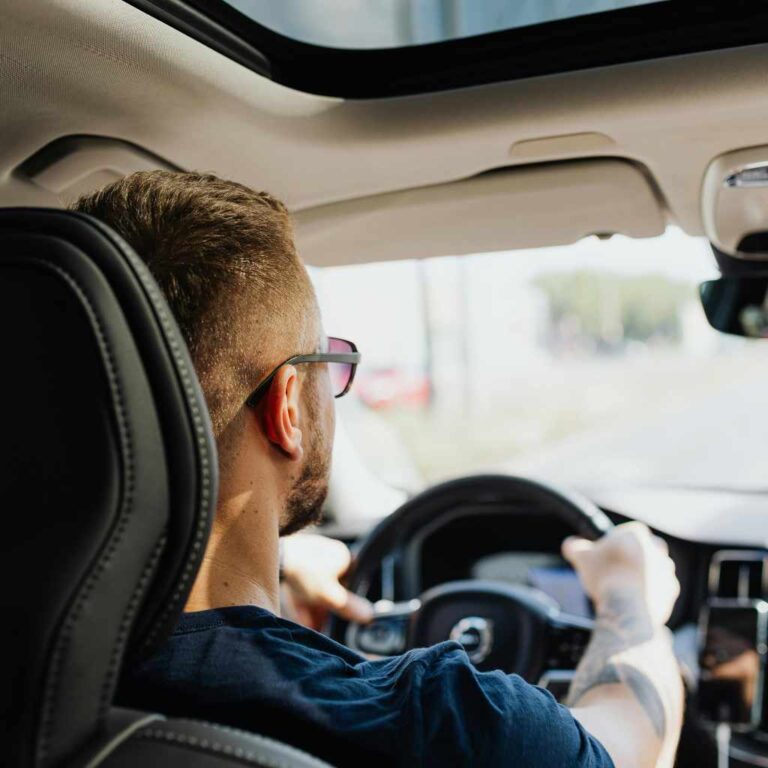
Can You Play Oculus In The Car? Essential Guide
While technically possible to use an Oculus VR headset inside a moving car, it is strongly discouraged due to severe motion sickness, safety risks, and limited practical use. For best experiences, use VR only when parked and stationary.

búsqueda
BUSQUEDA Elite Strap with Battery for Oculus…
- Extend Wireless Playtime -Head strap for oculus 2 headset built-in 8000mAh recharge battery and high-speed cable, extend 8 hours p…
- Fast Charging - The PD 3.0 interface supports fast charging, allowing you to enjoy more Oculus and Steam PC VR games. The LED disp…
- Enhanced Comfort - It is consists of a soft silicone head back cover, high-strength PC strap, and adjustable wheels that fit perfe…
As an Amazon Associate I earn from qualifying purchases.
Many of us love escaping reality with our virtual reality headsets, like the Oculus (now Meta Quest). If you have a long road trip ahead, you might wonder if you can bring that immersive experience along. Can you play Oculus in the car while someone else is driving? It seems like a perfect way to pass the time!
However, mixing the motion of a vehicle with the visual world of VR can create confusing signals for your brain. This often leads to a very uncomfortable experience. Don’t worry! As your trusted automotive guide, I’m here to break down the technical possibilities, the major safety concerns, and the best ways to enjoy your device on the road.
We will explore motion sickness, power needs, and the rules of the road concerning VR use. Let’s explore the practical guide to VR travel.
Understanding the Core Conflict: Motion Sickness and VR
The biggest hurdle when trying to use any VR headset in a moving car isn’t the technology—it’s your own body. This issue is commonly known as motion sickness, but in VR, we call it something more specific: simulator sickness.
Simulator sickness happens because your senses are sending mixed signals to your brain. When you are in a car, your inner ear (vestibular system) feels the movement—the bumps, the acceleration, and the turns. However, when you look through the Oculus lenses, your eyes see a stationary virtual environment, or perhaps one that moves independently of the physical car’s motion.
Why Your Brain Gets Confused
Think of it like this: Your eyes say, “We are sitting still watching a spaceship fly,” while your inner ear screams, “We are physically turning left right now!”
- Visual Input: The virtual world moves, suggesting you are moving in that space.
- Vestibular Input: Your inner ear senses the actual G-forces and bumps of the car ride.
- Conflict: The brain cannot reconcile these two opposing signals, resulting in nausea, dizziness, and cold sweats.
This conflict is far worse in VR than simply looking at a handheld screen because the VR field of view is so immersive. You are totally surrounded by the conflicting information, which is why this problem is so pronounced when trying to play Oculus in the car.

Safety First: Legal and Physical Roadblocks
Before we even consider comfort, we must address safety. Driving safely requires your full attention, and using VR drastically compromises that attention. Even as a passenger, there are important safety considerations.
The Passenger’s Role and Distraction
If you are the passenger, you might feel exempt from the driving rules. However, having a large headset strapped to your face presents risks:
- Sudden Stops: If the driver brakes hard, the headset could shift, causing injury, or you might lose your balance as you instinctively reach out.
- Emergency Situations: You need to be instantly aware of what is happening outside the vehicle. Fumbling to remove a VR headset wastes precious seconds during an emergency.
- Visibility: Even if you aren’t driving, being completely cut off from the surrounding environment is a safety concern for everyone in the vehicle.
Legal Considerations for the Driver
While most laws specifically target the driver holding a phone, using a VR headset while driving is unequivocally illegal and extremely dangerous. Many states have laws regarding any device that obstructs the driver’s view or impairs concentration. Even if you position the headset slightly up to see the road, the visual presence of the headset itself can lead to fines and insurance issues. For the driver, the answer is a resounding no.
For passengers, while specific laws about wearing VR headsets in a moving car are less common, it is often covered under general reckless endangerment or distracted passenger laws, depending on your local jurisdiction. It is always best to check local Department of Transportation guidelines for your area, though common sense dictates avoiding distraction.
Technical Feasibility: Can the Oculus Run in a Car?
Assuming you solve the motion sickness issue (perhaps by staying parked), you still need to ensure the Oculus Quest or other models can function reliably while you travel.
Powering Your VR Experience
VR headsets require significant battery power. A standard Oculus session can drain the battery surprisingly fast. You cannot just rely on the built-in battery for long play sessions on a road trip.
Here is a comparison of power needs versus typical car charging solutions:
| Component | Typical Power Draw (Approximate) | Notes |
|---|---|---|
| Oculus/Quest 2/3 Battery Life | 1.5 – 3 Hours | Varies heavily based on demanding software. |
| Standard USB Car Charger (12W) | 5V @ 2.4A | May charge very slowly or only maintain battery level while playing. |
| High-Output Car Charger (30W+) | Requires USB-C PD (Power Delivery) | Necessary to aggressively charge while running intensive VR applications. |
Md Meraj’s Tip: To successfully play for extended periods, you need a high-wattage USB-C car charger, preferably one that supports Power Delivery (PD) standards, which can often push 45W or more. A simple, old USB port won’t cut it.
Connectivity and Performance
If you rely on PCVR (connecting the Oculus to a laptop or gaming PC in the car for better graphics), you introduce more complexity:
- Stable Internet: If you rely on cloud gaming or streaming, a stable, high-speed connection is mandatory. Car Wi-Fi hotspots are notorious for latency and dropped signals, which ruins VR immersion instantly.
- Physical Setup: Balancing a gaming laptop, connecting cables securely, and giving the headset enough space can be difficult in standard vehicle seating arrangements.
For standalone games, you are generally safe, provided the headset itself is charged.
The Best Time to Use Oculus in the Car: Stationary vs. Mobile
Given the overwhelming evidence regarding motion sickness and safety, there is a clear recommendation for when you can and should use your VR headset while traveling.
Option 1: The Best Choice – When Parked
If you are on a long road trip, the absolute best way to use your Oculus is when the car is completely stopped. This turns your car into a secure, private viewing booth.
- Find a Safe Spot: Pull into a rest stop, charging station, or parking lot. Ensure the parking brake is engaged.
- Adjust Comfort: Once stationary, you can safely adjust the straps and focus for a longer session.
- Enjoy Immersion: You can enjoy games, watch movies on the virtual Bigscreen, or even attend virtual meetings without any risk of nausea.
This method ensures zero motion sickness and maximum visual fidelity.
Option 2: The Highly Risky Choice – While Moving (Only for Specific Content)
If you are absolutely determined to use the Oculus while the car is moving, you must drastically limit what you are doing to minimize conflicting sensory information. This is only viable for passengers.
What might be tolerable for a very small minority of people:
- Passive 360-Degree Videos: Videos where you are simply an observer and nothing moves relative to your seating position (like a static 360-degree tour of a museum).
- Cinema Experiences: Watching a standard 2D movie clip on a virtual screen where the virtual screen itself remains perfectly locked to your view, even as the car moves around it.
What you must absolutely avoid while moving:
- First-Person Racing Games
- Any game involving artificial locomotion (walking, running, flying)
- Interactive 3D environments where you control movement
Even with these precautions, I must emphasize that simulator sickness is highly individual. What one person tolerates, another cannot. Consult resources on VR use to manage potential side effects, though many experts agree that vehicle motion is the ultimate trigger.
Pre-Trip VR Checklist for Automotive Travel
To ensure your experience—whether parked or stationary—is smooth, prepare your gear ahead of time. Think of this like preparing your vehicle for a long drive; your electronics need checks too!
| Check Item | Action Needed | Why It Matters |
|---|---|---|
| Headset Battery | Charge to 100% the night before. | VR drains batteries quickly; no outlet for emergencies. |
| Car Charger Setup | Test your high-wattage charger in the car. | Ensures you can maintain power during long stops. |
| Controllers/Straps | Secure all straps, remove external battery packs. | Prevents components from flying loose during sudden stops. |
| Headset Lenses | Use a microfiber cloth to clean thoroughly. | Dust or smudges are magnified when things get bumpy. |
| Seating Position | Choose the middle back seat if possible. | Seats closer to the center of the vehicle often experience less jarring motion. |
Tips for Minimizing Motion Sickness (If Attempting Stationary Use)
For those who are highly susceptible to motion sickness, even sitting still in a car while experiencing VR can be tough because the subtle vibrations and leans of the vehicle still register.
Here are straightforward tips to boost your travel comfort:
- Look Forward: If you are using the headset while the car is moving (though again, discouraged), try to orient the virtual screen toward the direction the actual car is traveling. This helps synchronize large-scale visual input with physical momentum.
- Use Air Circulation: Open a window slightly or crank up the A/C. Fresh, cool air is a proven combatant against nausea. Visit the CDC on Environmental Factors and Health for more background on air quality importance.
- Ginger Supplements: Carry ginger chews or hard candies. Ginger is a natural remedy widely used to settle upset stomachs during travel.
- Take Breaks Often: This is crucial. Every 20–30 minutes when parked, take the headset off, look outside the car for 5 minutes, and re-acclimate to the real world.
- Stay Hydrated: Dehydration makes motion sickness worse. Keep water handy.
Interactive Entertainment Alternatives for Road Trips
Since the Oculus presents significant challenges in a moving vehicle, what are the best alternatives for immersive entertainment that an everyday driver or passenger can use? Think about gear designed for portability and low processing demands.
Portable Gaming and Media Devices
Instead of strapping on a headset, consider devices that keep you grounded in reality while providing rich entertainment:
- High-Quality Tablets: Modern tablets offer stunning visual fidelity for movies and complex games without isolating you from the car environment.
- Nintendo Switch or Steam Deck: These handhelds offer engaging, physical gameplay that keeps your hands busy and your eyes focused on a manageable screen size, minimizing distraction from real-world motion.
- Head-Mounted Displays (HMDs) That Aren’t Full VR: Some smaller, glasses-style media viewers (like certain older models or specialized media glasses) offer a larger screen experience without the full, isolating depth immersion of a true VR headset, sometimes reducing simulator sickness.
The key takeaway is that true, full-immersion VR demands stillness. For movement, simpler, 2D screen entertainment is far safer and more reliable.

FAQ: Oculus Use in Vehicles
Q1: Is it legal for a passenger to wear an Oculus headset while the car is moving?
A: While laws vary, it is generally not explicitly illegal everywhere, but it is strongly discouraged due to safety risks should the driver need immediate assistance or sudden maneuvers occur. Focus on safety over convenience.
Q2: Will playing Oculus in a moving car always cause severe motion sickness?
A: For most people, yes, it will cause significant discomfort or nausea because your eyes and inner ear send conflicting signals to your brain. It is very rare for someone to tolerate full VR motion in a bumpy environment.
Q3: Can I plug my Oculus Quest into my car’s USB port to charge it while I play?
A: Standard car USB ports often do not supply enough power (wattage) to charge the Quest quickly while it’s actively running a demanding game. You will need a high-output USB-C Power Delivery (PD) car adapter for effective charging during use.
Q4: Are there specific games that are safer to play in a moving car?
A: Only passive, stationary 360-degree videos are generally considered “safer” choices, but using VR while moving is never recommended. Avoid any game that requires you to move, turn, or interact rapidly within the virtual space.
Q5: How far away should I look outside the car to reduce VR sickness?
A: If you start feeling ill, immediately remove the headset. Look at a stable, fixed point outside the car, preferably toward the horizon, for at least five minutes to allow your inner ear and eyes to re-sync.
Q6: Do I need special accessories to run Oculus VR smoothly in a car?
A: You need a high-wattage Power Delivery car charger if you plan on playing for long stretches. You also benefit from a sturdy cup holder or small table to place any necessary laptops or power banks securely.
Conclusion: Keeping Your Journeys Safe and Fun
As we have explored, the technology behind the Oculus headset is robust, but the physics of human motion dictate its limitations in a moving vehicle. While the idea of diving into a virtual world during a long drive is appealing, the risks associated with severe simulator sickness and general safety precautions far outweigh the brief enjoyment you might get.
My strongest advice, stemming from years of understanding vehicle safety and user experience, is this: Keep your VR sessions for when the car is parked securely. Use your commute time to enjoy music, audiobooks, or look out the window to rest your eyes and stay aware of your surroundings. When you reach your destination, you can safely disconnect everyone from the road and reconnect them to the virtual one.
By respecting the difference between stationary immersion and mobile reality, you ensure that your next road trip—and your next VR session—is enjoyable, safe, and free from nausea. Stay safe out there, and happy travels!
Related pick: Check today's price on Amazon